
Trusted by 20,000+ people

Powerful Employee Time Tracking Without the Premium Cost

WagePunch is your team’s time tracking platform to stay productive, supported, and on track — together.

Everything your team needs to clock in and stay on track

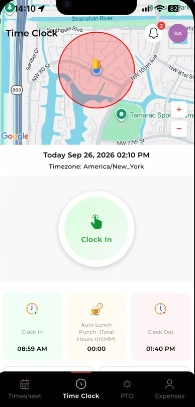
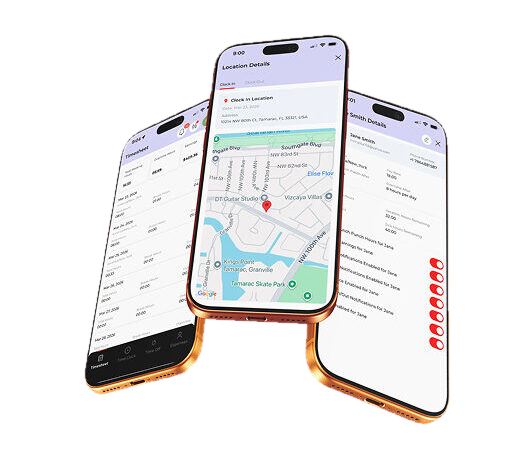
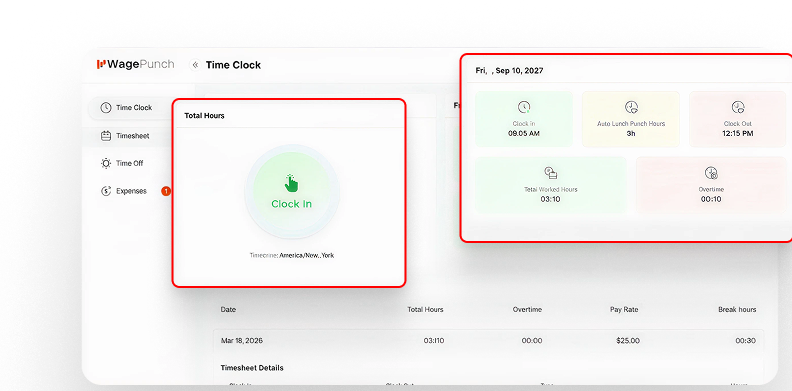
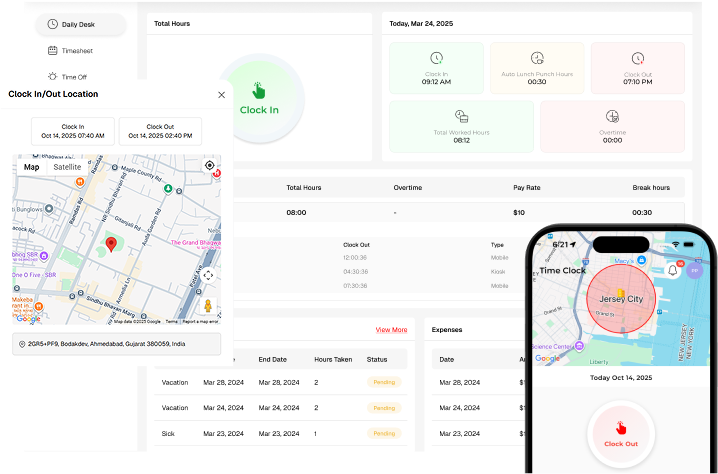
Your employees get a clean, no-confusion mobile experience. Clock in with one tap, view their own timesheet, check remaining PTO, and submit time-off requests, all from their phone. No training required, no desktop needed.

See your entire workforce at a glance anytime, anywhere

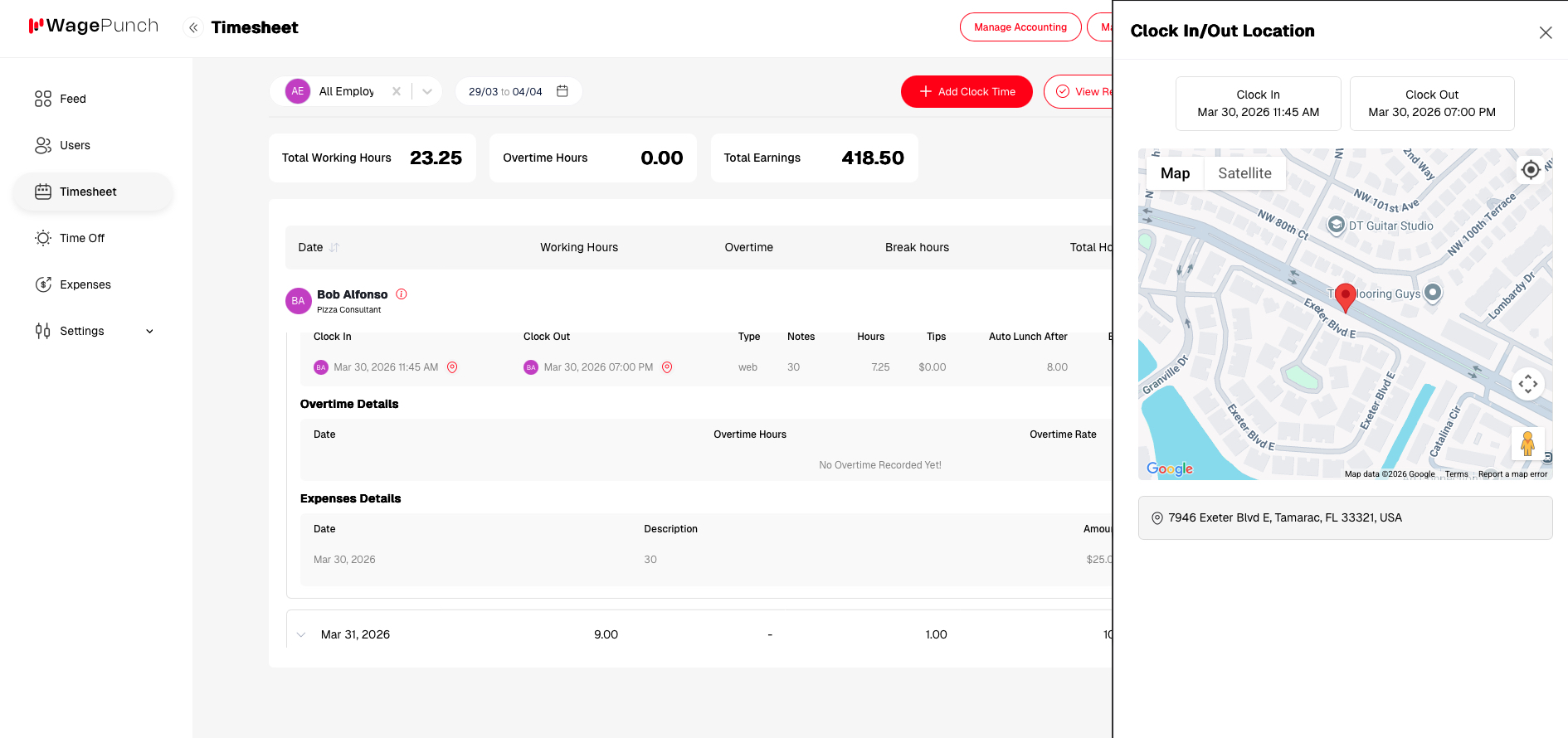
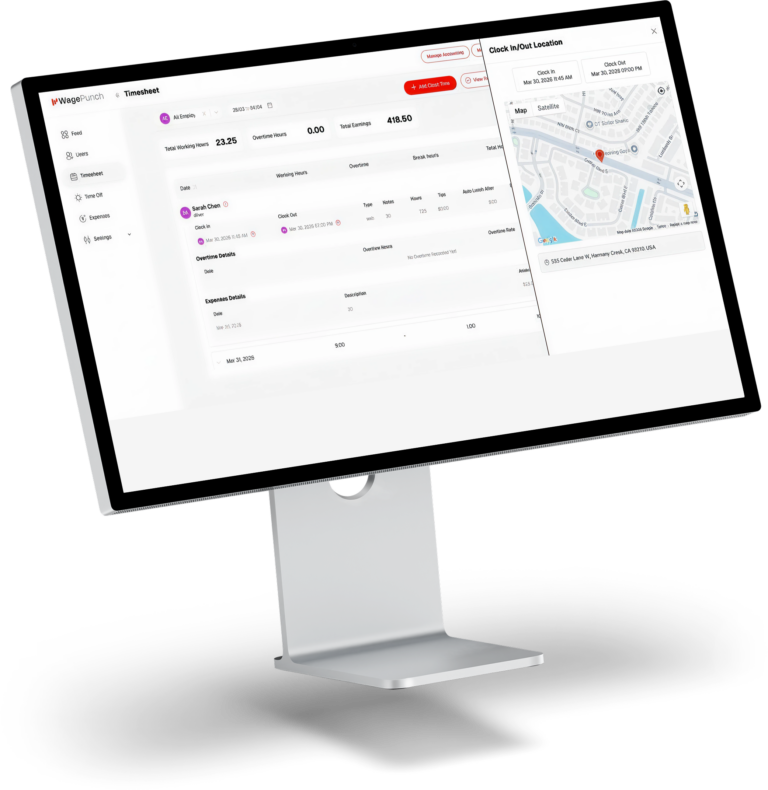
As a manager or owner, you see exactly where every employee clocked in, when it happened, and whether they were inside the approved zone. Review daily attendance, approve time-off requests, and catch discrepancies before payroll runs, all from one dashboard.

Key Features

Projectile helps you collaborate more smoothly and communicate better.

Paid Time Off

Easily manage employee leave with a flexible Paid Time Off (PTO) system. Employees can request time off for vacation, personal needs, or illness while maintaining full transparency with managers and HR teams.

GPS Tracking

Monitor and manage your team’s location in real time with the GPS Tracking feature. This system allows businesses to track employee movement, field activities, and working locations directly through the platform.

Connect to
Quickbooks Online

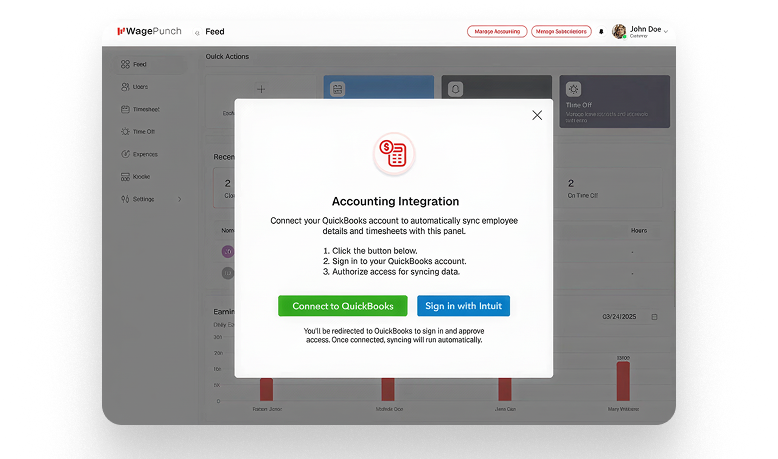
Seamlessly integrate your system with QuickBooks Online to simplify accounting and financial management.

Geo Fence

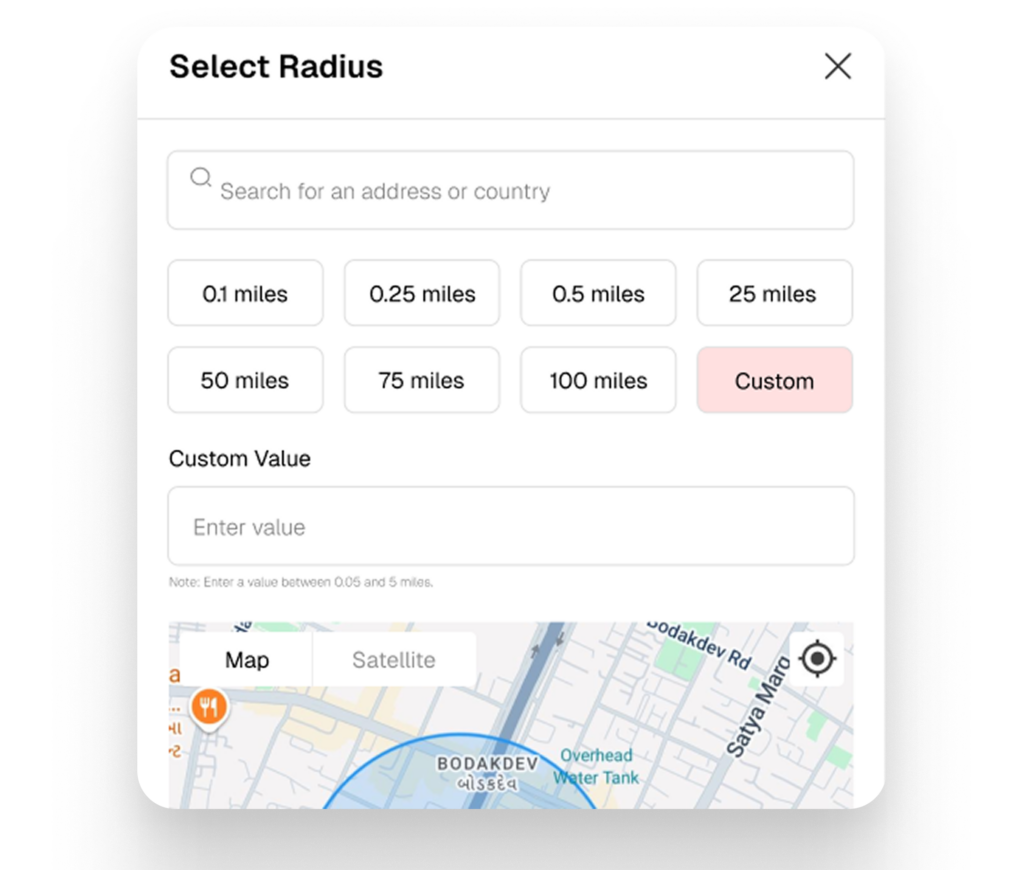
Create virtual boundaries for workplaces, job sites, or specific locations using the Geo Fence feature. A geo-fence allows organizations

Time Sheet

Track employee work hours accurately with the Time Sheet feature. It allows employees to log their daily working hours, tasks, and activities in a simple and organized way.

New

Hours & Minutes or Decimal — your choice

Choose how employee work time displays across all timesheets. Switch between exact Hours & Minutes — the IRS-preferred format — or Decimal Hours for legacy payroll workflows. One setting, applies everywhere across web and mobile instantly

Simple, Transparent Pricing for Every Stage of Growth

Start free, scale confidently. Choose a plan that fits your business—no hidden fees, no surprises.

Save 20% on annual plans

If you need more info, please check Pricing Guidelines.

$0

/14 days

Try out all WagePunch features with no commitment.

What will you get?

Most Popular

If you need more info, please check Pricing Guidelines.

$15

/user/month

Ideal for small teams looking for complete control without complexity.

What will you get?

Advanced control and tracking features

$20

/User/month

Perfect for growing teams needing location control and data retention.

What will you get?

Save 20% on annual plans

If you need more info, please check Pricing Guidelines.

$0

/14 days

Try out all WagePunch features with no commitment.

What will you get?

Most Popular

If you need more info, please check Pricing Guidelines.

$150

/user/year

Ideal for small teams looking for complete control without complexity.

What will you get?

Advanced control and tracking features

$200

/User/year

Perfect for growing teams needing location control and data retention.

What will you get?

Check out what
our customers have to say

“It’s intuitive, functional, easy-to-setup and presents content in an interactive and interesting way.”

Sarah Smith

Marketing Leader @Mailchimp

“It’s intuitive, functional, easy-to-setup and presents content in an interactive and interesting way.”

Sarah Smith

Marketing Leader @Mailchimp

“It’s intuitive, functional, easy-to-setup and presents content in an interactive and interesting way.”

Sarah Smith

Marketing Leader @Mailchimp

Frequently Asked Questions

This is expected behavior and is not an error.

In the Timesheet view, WagePunch only displays a collapsed weekly summary row for employees who reach 40 or more working hours during the selected week. That summary row is primarily intended to highlight overtime calculations.

When an employee works less than 40 hours in a week, there is no overtime to summarize, so their time is displayed as individual daily entries instead. All hours and earnings are still fully included and correctly calculated.

How can I see totals for an employee who worked less than 40 hours?

You can still easily view summary totals for any employee by using the employee filter in the top-left corner of the Timesheet. When you select a specific employee, the summary bar at the top of the page will display that employee’s total working hours, overtime hours if applicable, and total earnings for the selected date range. These totals are the same values that would otherwise appear in a weekly summary row.

WagePunch is designed to allow employees to clock in and clock out even when no internet connection is available. If an employee clocks in or out while offline, the app will display a warning indicating that the punch is being cached. The cached punch will automatically be transmitted once an internet connection is restored.


To ensure reliable use, employees should remain logged into the app at all times. Logging in requires an active internet connection and is not supported while offline. If your employees regularly work in areas with spotty or unreliable connectivity, please make sure they stay logged in to the app before entering those areas.

You can easily connect your WagePunch employee data to QuickBooks Online. To do this, you’ll need:

A valid QuickBooks Essentials subscription

A valid QuickBooks Online Payroll Core subscription

You’ll connect your WagePunch and QuickBooks accounts once by clicking the red “Manage Accounting” button at the top of your WagePunch web portal dashboard.

⚠️ Important: This connection can only be made through the WagePunch website—not within the mobile apps—and you must be logged in as the main account user to access the “Manage Accounting” button.

All of your employees are upgraded to the Pro package. Every employee gains access to all the new Pro-level features and benefits, and your entire team will now be billed under the updated Pro pricing plan.

Yes you can track employee time in Hours & Minutes OR Decimal Time in WagePunch using the “View Time As” selection within the time sheet.

What is “View Time As”?
This setting controls how employee time is displayed in timesheets:

  • Hours & Minutes

  • Decimal Hours


Where do I change it?
In the timesheet (web or mobile), use the “View Time As” option.


What’s the difference?

  • Hours & Minutes = exact time (no rounding)
    Example: 8:37

  • Decimal Hours = rounded time
    Example: 8.62


Is time stored differently based on this setting?
No. Time is always stored accurately. This only changes how it’s displayed.


Which should I use?

  • Use Hours & Minutes for exact tracking

  • Use Decimal Hours if you prefer rounded values


Is one more compliant?
Hours & Minutes aligns better with IRS preference for accurate time tracking.


Can I switch anytime?
Yes.


Does this work in both web and mobile?
Yes.

WagePunch is designed around clock-in / clock-out time capture rather than manual entry of decimal hours. We take this approach because U.S. labor and payroll rules expect employee pay to be based on actual, verifiable time worked, not manually entered totals. Recording start and end times creates a clear audit trail and ensures that the time recorded, reported, and paid all reflect the same underlying work activity. Allowing manual decimal entry makes it easy for recorded time and paid time to drift apart, which can create reporting inconsistencies and audit issues. By calculating time automatically from clock events, WagePunch keeps time records accurate, consistent, and defensible.

Is clock-in / clock-out the standard approach for time tracking?

Yes. Most modern time-tracking systems use clock-based time capture with automatic calculation. This method is widely used because it provides a precise record of hours worked and reduces errors caused by rounding or manual entry.

Will WagePunch ever support decimal time entry?

WagePunch is focused first on accurate time capture and compliance. Any changes to how time is entered must preserve that integrity. If decimal entry is introduced in the future, it would be as an optional feature designed carefully to avoid conflicts between recorded work time and payroll calculations.

The default start of the 40 hour work week is Sunday and the end of the 40 hour work week is Saturday. Yes you can change these to whatever starting and ending day, visit the company profile settings, you will find these settings there.

Data Backups
We perform full system backups twice daily: once at approximately 11:00 AM US-EST and again at approximately 10:00 PM US-EST. These backups capture all system-level changes that occur between those times.

These backups exist solely to protect against catastrophic system failure. They are not designed for, nor can they be used as, a method to recover customer data that may have been modified or deleted days earlier. System-level restores will only be executed in extreme circumstances and strictly as a last resort.

It is critical that all customers independently back up all employee and operational data. Businesses are legally required to maintain records for various compliance, labor, and audit purposes. AppSoft / WagePunch does not provide data-retention services of this nature.

We offer several tools within both the WagePunch web portal and WagePunch mobile applications that allow you to export your data. Customers should regularly download and archive these exports to remain compliant with all applicable local, state, and federal regulations.

While we take every reasonable measure to ensure system uptime and data integrity, we cannot accept liability for customer data in the event of an unforeseen or catastrophic incident.


Data Center
Our servers operate within an enterprise-class, hurricane-resistant Category 5 data center that maintains full HIPAA, SSAE-16, SOC 2 Type II, and NIST compliance.

Download WagePunch Mobile App

Manage your workforce on the go! The WagePunch mobile app lets you track attendance, manage shifts, and approve leaves—all from your smartphone.

For iOS

iOS 15.6+

For Android

Android 8.0+